
UGREEN Nexode 100W 4-port charger review

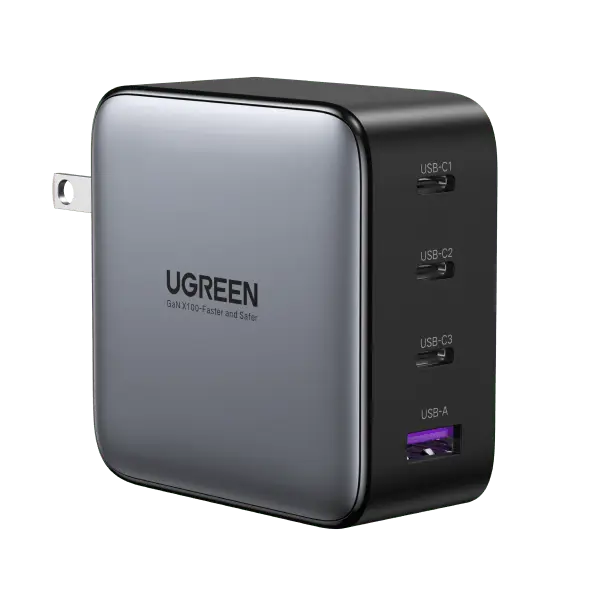
The UGREEN Nexode 100W four-port charger is our first pick for most people because it does a dull job well: it replaces several plugs with one. It pairs 100W of output with three USB-C ports and a USB-A port, a layout that fits a laptop owner who also carries a phone, a tablet and an older accessory or two.
Key insights
- 100W total output
- Three USB-C ports plus one USB-A port
- GaN design
- Who it suits: Your laptop charges over USB-C at 100W or less and you want one plug for the whole bag.
UGREEN Nexode 100W 4-Port pros and cons
- Four devices from a single outlet
- A USB-A port for older cables and gadgets
- 100W covers most laptops that charge over USB-C
- GaN parts keep it plug-sized
- UGREEN's listing gives no per-port power split
- Not enough headroom for two laptops at full speed
- No foldable plug mentioned in the listing
 UGREEN Nexode 100W 4-Port
Check price
UGREEN Nexode 100W 4-Port at a glance
Who it is for
- Your laptop charges over USB-C at 100W or less and you want one plug for the whole bag.
Who should skip
- Two laptops need full-speed charging at the same moment, because 100W shared between them leaves each short.
Key specs
| Total output | 100W |
|---|---|
| Ports | 3 x USB-C, 1 x USB-A |
| Type | GaN charger |
| Product line | Nexode |
| Charges at once | Laptop, tablet, iPhone and accessories, per UGREEN |
| GTIN | 6957303847372 |
Who a 100W, four-port charger suits
Picture the usual work bag: a laptop, a phone, maybe a tablet, and earbuds or a smartwatch that need a top-up overnight. Most people charge those with three or four separate bricks, each with its own cable and its own spot on the power strip. This Nexode charger is built to collapse that pile into one plug.
Four ports means no rotating devices at bedtime. Plug everything in, and by morning the small batteries are full and the laptop has had most of the night to catch up. For a home office, it frees outlets on a crowded strip. For travel, it means one charger in the bag instead of three.
How 100W stretches across four devices
The 100W figure is the most the charger can deliver in total, not what each port gets. When the laptop is the only thing plugged in, it can draw a large share. Add a phone and a tablet, and the charger divides its output, which usually means the laptop port steps down.
UGREEN's listing does not publish that split, so plan around it. On most multi-port chargers, one USB-C port is marked for the highest output, and that is where the laptop belongs. Phones, earbuds and watches need little power, so they barely dent the total. A tablet takes more, but rarely enough to matter overnight.
In practice, a single laptop plus small devices is the sweet spot. You will notice the sharing only when the laptop is busy and nearly empty at the same time.
Why the USB-A port still earns its place
Plenty of chargers have gone all USB-C, which is tidy if every cable you own has a USB-C plug at both ends. Most people are not there yet. Bike lights, older wireless headphones, e-readers, cameras and a lot of kids' gadgets still come with USB-A cables.
The single USB-A port here saves you replacing those cables or carrying a separate small charger just for them. It is a modest feature, and it is the main reason this model is our first pick over chargers with the same wattage and only USB-C ports.
What it will not do
It is not a two-laptop charger. Two machines sharing 100W will both charge slowly, and under load one might not charge at all. For that job, the UGREEN 200W charger on our shortlist is the better fit, with up to 140W from one port.
It is also not the right buy for a large performance laptop that shipped with an adapter above 100W. That laptop will still charge, but more slowly, and during demanding work the battery can drain faster than the charger refills it. For everyone else, the limits rarely show up day to day.
FAQ: UGREEN Nexode 100W 4-Port
Can it charge a MacBook Pro?
It can charge any MacBook Pro that charges over USB-C. Smaller models used for everyday work sit comfortably within its range. The largest models shipped with adapters above 100W, so on this charger they will fill more slowly, especially while working hard.
Which port should the laptop use?
Use the USB-C port marked for the highest output, which on most multi-port chargers is labeled on the case. Put phones, earbuds and watches on the other ports. That keeps the laptop on the strongest port and lets the small devices share what is left.
Is it worth paying for four ports instead of three?
Only if you will use them. The fourth port here is USB-A, so it is worth it when you still own gadgets with USB-A cables. If everything you carry is USB-C, a three-port 100W charger does the same job.
Other options worth a look
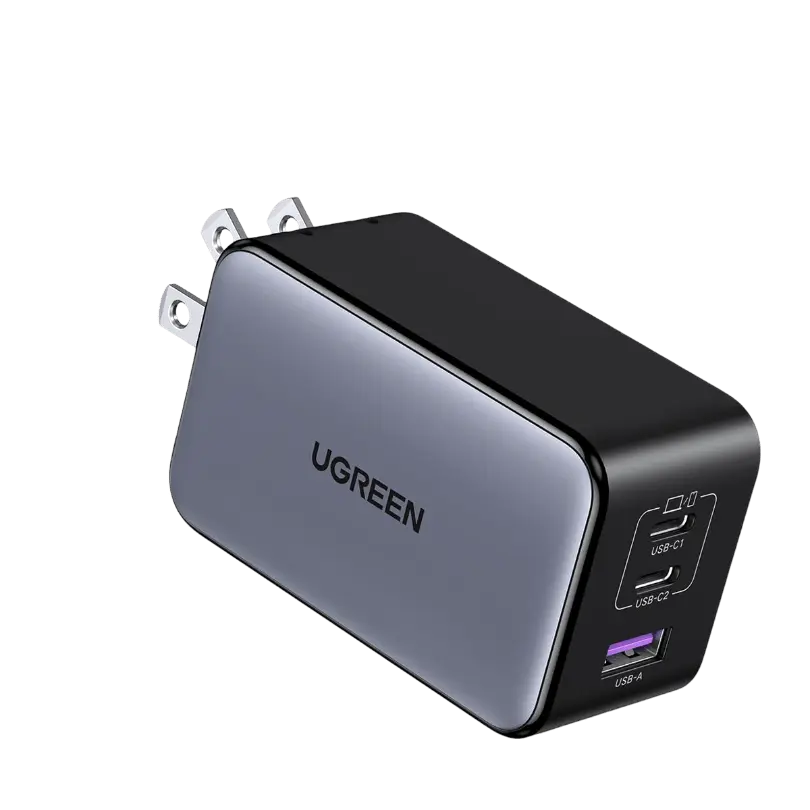 UGREEN Nexode 100W 3-PortA three-port 100W Nexode for buyers who do not need a fourth port.
Check price
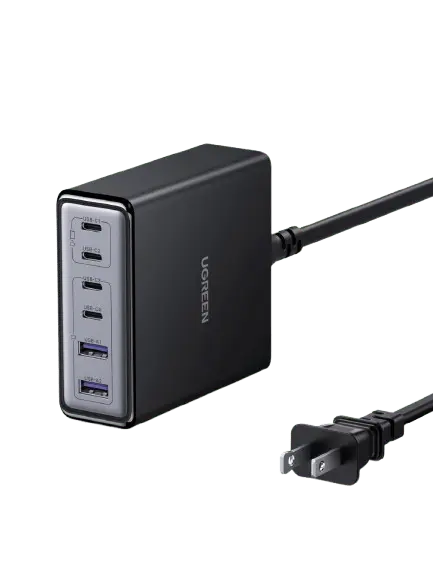 UGREEN 100W 6-Port DesktopSpreads 100W across six ports for a desk that charges many small devices.
Check price
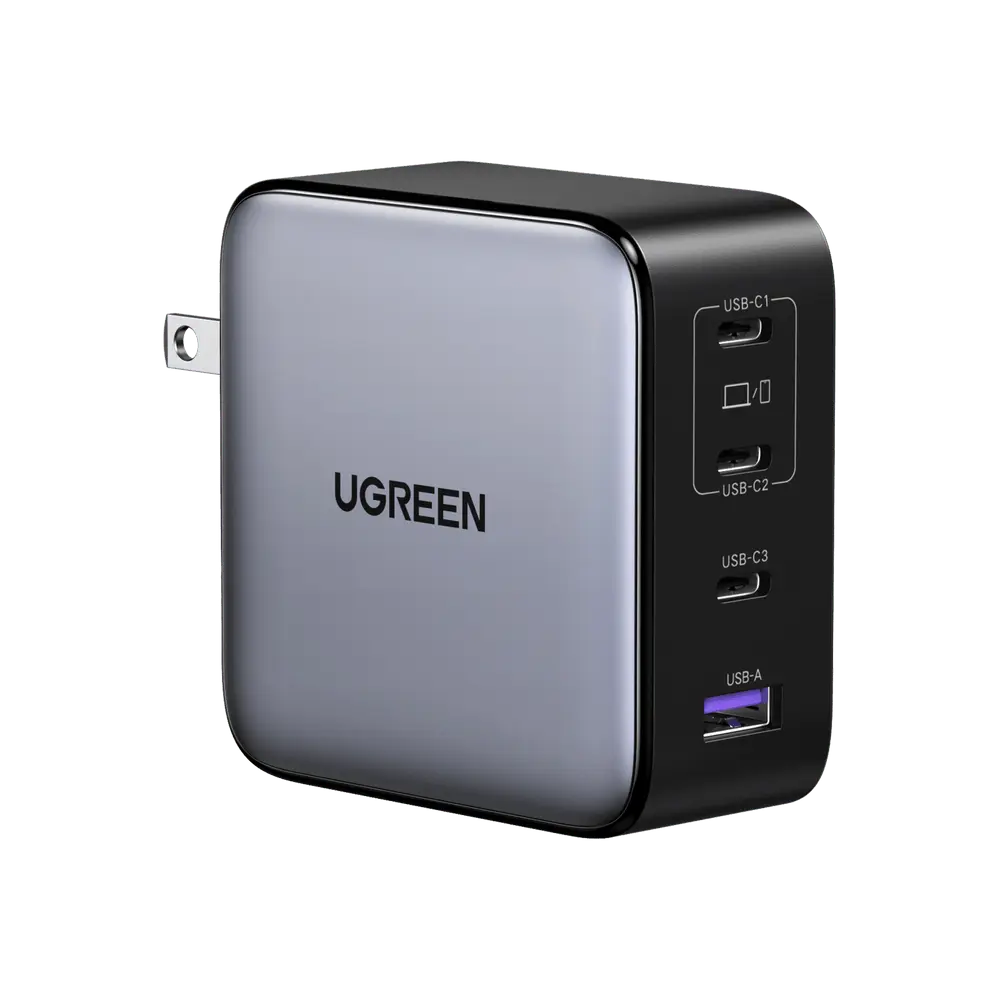 UGREEN 200W Dual LaptopDoubles the total output for two laptops, with up to 140W from one port.
Check price
Next steps
If this one is close but not quite right, the shortlist sets it beside the other picks, each named for the buyer it suits.
Back to the best USB-C chargers for laptops and phones All reviews