

Charger boxes shout about watts, and it is easy to buy far more than you need or, worse, too little for the laptop. The right number comes from the devices you own, how many you charge at once and the cable between them. This guide walks through each step so the figure on the box means something.
Key insights
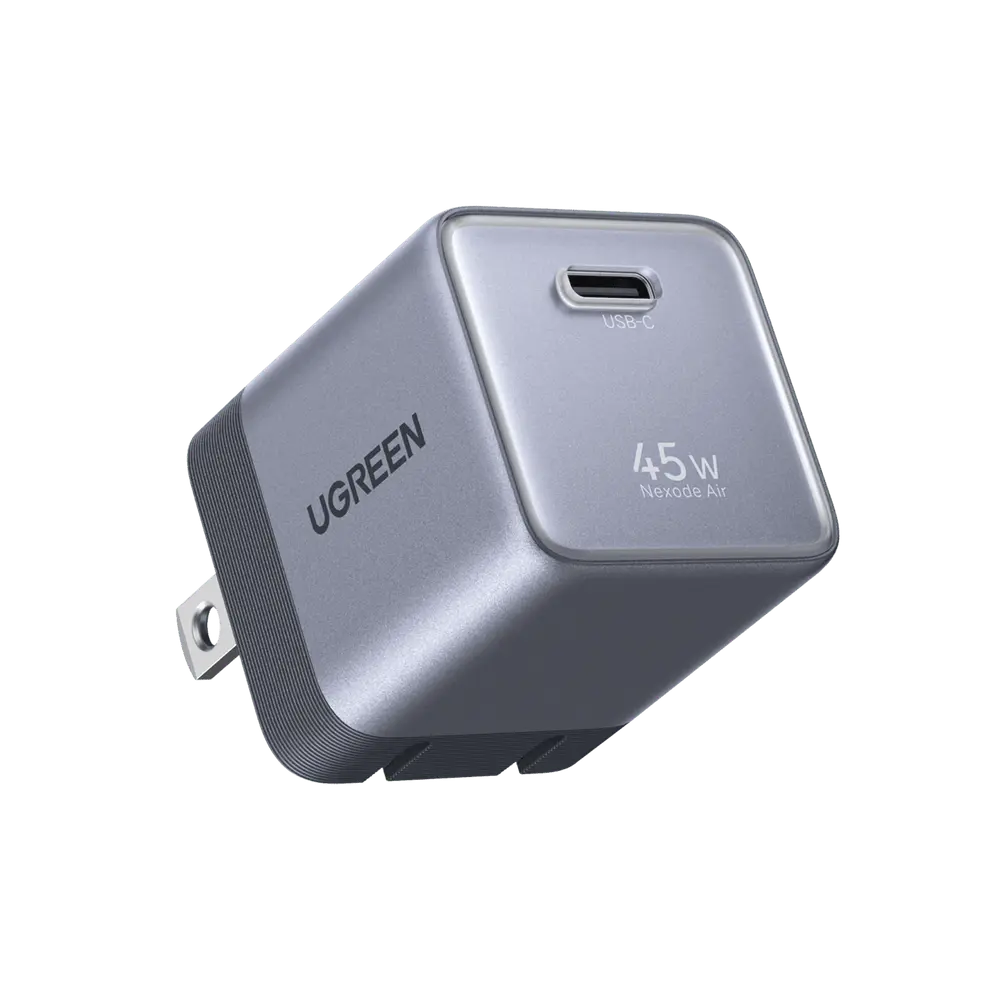
- UGREEN Nexode Air 45W: 45W GaN charging
- UGREEN Nexode 100W 4-Port: 100W total output
- UGREEN 200W Dual Laptop: 200W total output
Find the number your laptop asks for
The laptop is the device that sets the size of your charger. Turn over the adapter that came with it and look for the output rating, usually printed in small type on the label. That wattage is what the laptop was designed to draw at full speed.
Thin-and-light laptops often ship with modest adapters, while larger machines for editing, design or gaming come with much bigger ones. If you no longer have the original adapter, the laptop maker's support page lists the rating for each model.
Match that number or exceed it, and the laptop will charge as fast as it was meant to. Go under it, and the laptop will still charge in most cases, just more slowly, and it might not keep up while you push it hard.
Phones, tablets and earbuds need less than you think
Phones draw far less than laptops. Apple's fast-charge guidance for iPhone calls for a USB-C adapter rated 20W or higher, and plenty of Android phones sit in a similar range. Earbuds, watches and e-readers need only a trickle.
One wrinkle for Android owners: some phones reach their top speed only with a charger that supports PPS, a programmable mode within the USB Power Delivery standard. If your phone maker lists PPS for its fastest charging, look for it on the charger's spec sheet before you buy.
Tablets land between phones and laptops. A charger that suits a thin laptop will handle any tablet comfortably.
Add it up for a multi-port charger
When one charger handles several devices, add their needs together and leave some headroom. A thin laptop, a phone and a pair of earbuds fit comfortably on a 65W charger. A laptop with a larger adapter plus a phone and a tablet points toward 100W.
Headroom matters because multi-port chargers divide their total between ports. A 100W charger with four devices attached does not give each device 100W. It decides how to split the power, and the laptop port usually gives up the most. Buying a little above your sum keeps the laptop charging at a useful pace when everything is plugged in.
Where to start
| Role | Model | Price | Why | Buy |
|---|---|---|---|---|
| Best on a budget | UGREEN Nexode Air 45W | $15.99 | Our budget pick, a foldable 45W plug for phones, tablets and thin laptops. | Check price |
| Best for most people | UGREEN Nexode 100W 4-Port | $54.99 | Our first pick for most people, with three USB-C ports and one USB-A port. | Check price |
| Best for two laptops | UGREEN 200W Dual Laptop | $61.99 | For two laptops at once, with up to 140W available from a single port. | Check price |
Per-port watts matter more than the total
The headline number on the box is the total across all ports. What a single port can deliver is often lower, and that is the number your laptop actually sees. UGREEN's 200W charger, for example, lists up to 140W from one port and 200W across all of them.
If you have a large laptop that wants more than 100W, check the single-port maximum, not just the total. A 200W charger whose best port gives 100W will not charge that laptop any faster than a 100W charger would.
- Phone and earbuds only: a small single-port charger is enough.
- Thin laptop plus phone: look at 65W.
- Laptop plus several devices: look at 100W with three or four ports.
- Two laptops, or one very demanding one: look for a high single-port rating.
The cable can cap your speed
Every USB-C cable has its own power limit. Basic cables are typically rated for 60W. To carry more, a cable needs a small chip, called an e-marker, that tells the charger it can handle higher current, and those cables are sold as 100W or 240W cables.
Plug a fast charger into a basic cable and the charger holds back to stay within the cable's rating. That is why a new charger sometimes seems no faster than the old one. UGREEN sells a 240W PD 3.1 cable, which removes the cable as a bottleneck for any charger in this category.
When a bigger charger is wasted money
Spare capacity does no harm, since devices only draw what they ask for. It does cost money, size and weight. A 200W desktop charger in a bag that holds one thin laptop and a phone is a heavier, pricier way to do a 65W job.
Buy for the devices you own and the way you charge them. If you expect to move to a bigger laptop soon, size up one step. Otherwise, the smallest charger that covers your total with some headroom is usually the right one.
FAQ
Is it bad to use a charger with more watts than my phone needs?
No. USB-C Power Delivery has the phone and charger agree on the power level before charging starts, so the phone takes only what it can handle. A larger charger just has spare capacity for other devices or a laptop.
Why does my laptop say it is charging slowly?
Usually the charger or the cable is below what the laptop expects. Check the charger's rating against the laptop's original adapter, and check whether the cable is rated for more than 60W. Sharing a multi-port charger with other devices can also trigger the warning.
Are GaN chargers worth it?
For most people, yes. GaN parts waste less energy as heat, so chargers can be smaller for the same output. That makes a multi-port charger small enough to carry, which is how one plug ends up replacing several.
Do USB-C chargers work with older USB-A devices?
Only through a USB-A port or an adapter. Some multi-port chargers, such as the UGREEN Nexode 100W four-port model, include a USB-A port for exactly this reason. Otherwise, a short USB-C to USB-A adapter cable will do the job.