

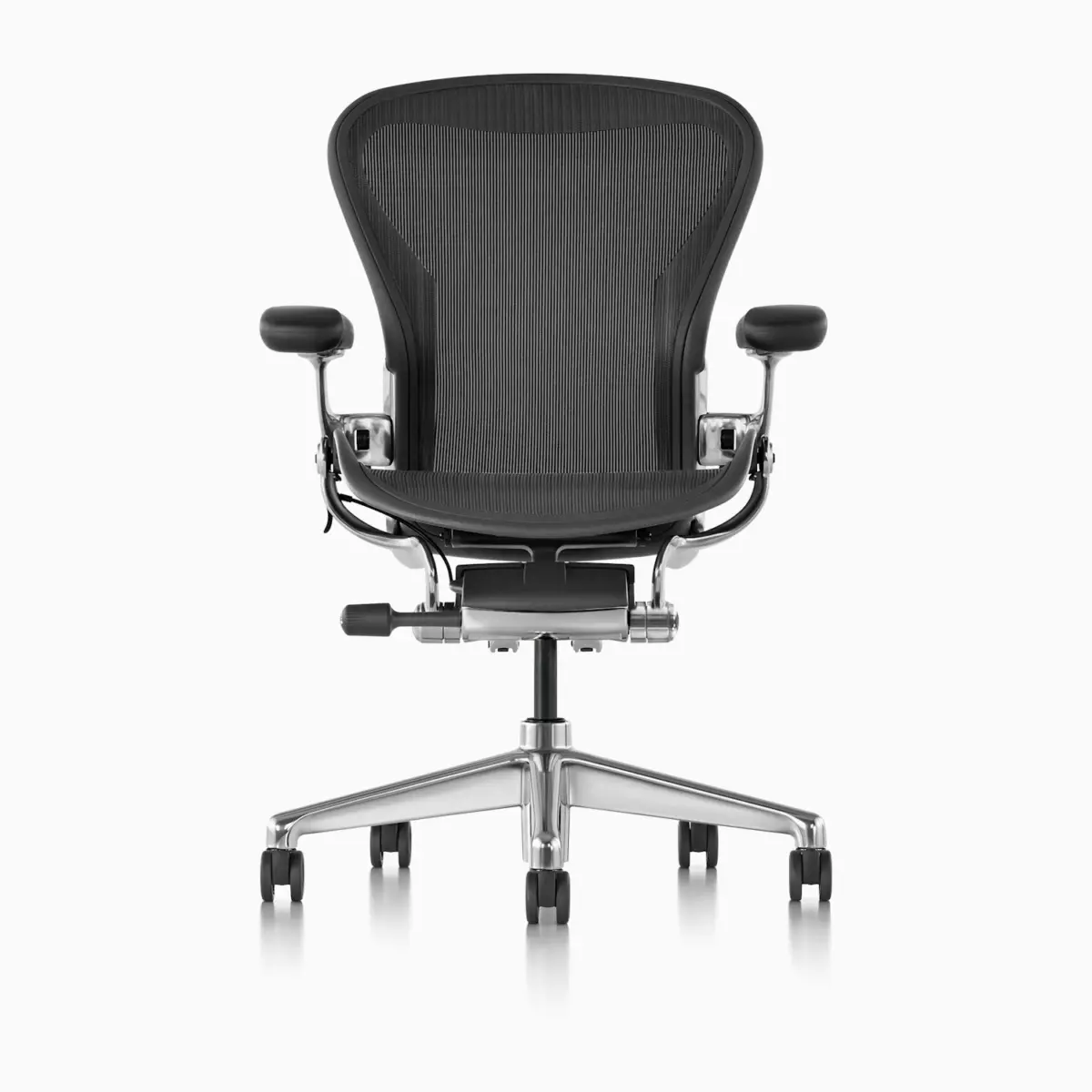
An expensive chair set up badly is no better than a cheap one. Most discomfort at a desk comes from a seat at the wrong height, a back that misses your lower spine, or arms that push your shoulders up. This guide walks through each adjustment in order, then covers what to do with a chair that has few controls.
Key insights
- Herman Miller Aeron: 8Z Pellicle suspension seat and back
- Herman Miller Setu: Kinematic Spine balances resistance as you recline
- Herman Miller Lino: Duo Suspension back with integrated lumbar support
Start with seat height
Sit all the way back and raise or lower the seat until your feet rest flat on the floor with your thighs roughly level. Your knees should sit at about the height of your hips or a touch lower. If the seat is too high, the front edge presses into the backs of your thighs.
Set this first, because every other adjustment depends on it. If your desk is too high to allow flat feet at the right seat height, raise the chair to suit the desk and add a footrest instead.
Check seat depth
With your back against the backrest, you should be able to fit two or three fingers between the front of the seat and the backs of your knees. Too little gap cuts off comfort behind the knee. Too much means your thighs are unsupported and you will slide forward to compensate.
Some chairs have a sliding seat. Others, like the Aeron, solve depth through frame size, which is why ordering the right size matters as much as any knob.
Line up the back support
The lower back has a natural inward curve, and good support fills it without pushing you forward. Sit back fully and notice where the backrest makes contact. If it presses above or below the curve, adjust the lumbar height or depth if your chair allows it.
Chairs handle this differently. The Aeron's PostureFit SL supports the base of the spine and the pelvis, the Embody's back is shaped by hand, and the Lino weaves lumbar support into its back. With built-in support, small changes in seat height can move where it lands.
Where to start
| Role | Model | Price | Why | Buy |
|---|---|---|---|---|
| Best for most people | Herman Miller Aeron | $2,260 | Our top pick, with three sizes that make seat depth easy to get right. | Check price |
| Best for shared desks | Herman Miller Setu | $1,115 | Designed to need no adjustment, suited to a desk several people share. | Check price |
| Best with a padded seat | Herman Miller Lino | $1,165 | Integrated lumbar support and a padded seat for a softer sit. | Check price |
Set the armrests last
Lower the arms until your shoulders relax, then raise them until they just meet your forearms with elbows bent at roughly a right angle. Arms set too high hike your shoulders toward your ears over a long day. Set too low, they do nothing.
Armrests should also clear the desk edge so you can pull in close. If they block you, lower them or move them out of the way rather than sitting far back from the keyboard.
Use the recline
Sitting bolt upright all day is tiring. A slight recline takes load off the lower back, and most good chairs let you lean back while staying supported. Set the tension so the chair follows you back without pushing you upright or dropping away.
Change position through the day. Lean back for calls and reading, sit up for focused typing, and stand up regularly. Chairs such as the Sayl, with Harmonic Tilt, are designed around that kind of movement.
If your chair has few controls
Some chairs, like the Setu, are designed to feel right without adjustment. That works well for most sitters and for desks shared between people. Fit then depends on the desk and screen: raise or lower the screen so the top sits near eye level, keep the keyboard close, and use a footrest if your feet do not reach the floor.
A small cushion behind the lower back can stand in for missing lumbar adjustment, though a chair whose built-in support already lands in the right place is the better long-term answer. If a simple chair feels wrong after a week of tweaking the desk around it, the chair is probably the wrong size for you.
FAQ
How high should my desk be for my chair?
With the chair set so your feet are flat and thighs level, your forearms should rest on the desk with elbows near a right angle and shoulders relaxed. If the desk is too high, raise the chair and use a footrest. If it is too low, a desk riser or adjustable desk is the fix.
Should my feet always touch the floor?
They should be supported, whether by the floor or a footrest. Dangling feet put pressure on the backs of the thighs and pull you forward off the backrest. A simple footrest is often the cheapest fix for a desk that is too tall.
How often should I readjust my chair?
Check the setup whenever something changes: new shoes, a new desk, a new monitor or a different person using the chair. Otherwise, once it is right, leave it, and change position through the day using the recline rather than resetting the controls.
What if two people share the chair?
Agree on a quick routine: seat height first, then arms. Those two settings change most between people and take seconds to reset. If the two of you differ a lot in height, a chair designed to need no adjustment, such as the Setu, saves the daily argument.